Earth Blox ‘Explorer’ mode
Overview
The problem:
Adoption of Earth Blox in larger organisations was limited because team members without geospatial expertise were unable to effectively run workflows.
The goal:
Adapt the interface to allow a new non-expert customer group to easily get the results they need.
My role:
Lead designer and UX researcher, collaborating with the Heads of Product and Engineering, and the Engineering team through discovery and delivery phases.
Conducting research interviews with our ‘expert’ user group, wireframing, prototyping and testing concepts with customers
Developing personas from research to inform product development and guide marketing messaging
Leading workshops with Product and Development team to brainstorm ideas and uncover technical constraints
Iterating and creating high fidelity designs and defining user requirements
Conducting usability testing with our ‘non-expert’ user group, iterating and refining based on their feedback
Outcome
A new simplified ‘Explorer’ mode that enables non-experts to run pre-made workflows and get results, scaling the efficiency of expert users.
This unlocked a new user group without needing to rebuild the entire workflow system, contributing to a 62% increase in workflows run over 2 years, a key business metric.
Context
Geospatial analysts are frequently requested to run simple workflows to get results for colleagues who either don’t have access to Earth Blox, or who are reluctant to learn how to use a new tool to run workflows themselves.
While these are often simple requests from colleagues, they take valuable time away from more complex analyses, and risk the geospatial analyst becoming a bottleneck in internal processes.
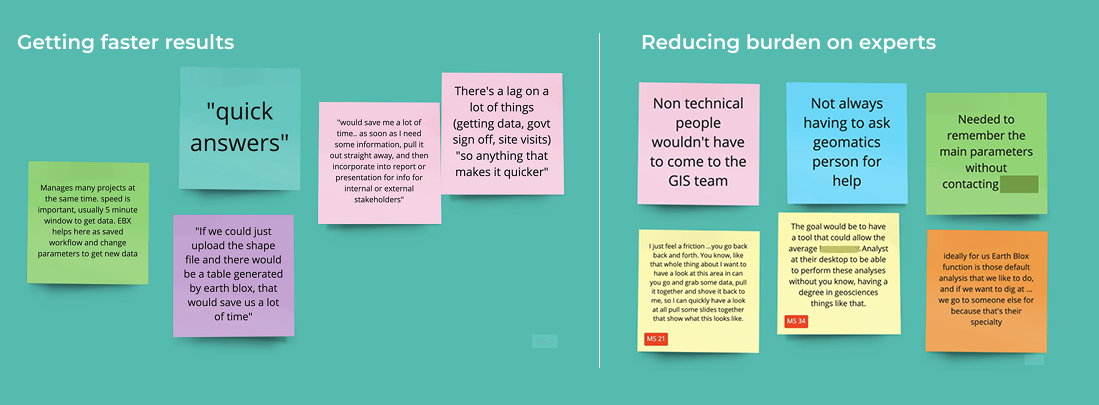
Distilling key themes from interviews
Developing personas
From talking with customers, we identified two key personas with separate responsibilities and challenges: the ‘Experts’ with Earth Observation experience, and ‘Non-experts’ without.
(Simplified for commercial confidentiality)
Expert
Experience
Has good Earth Observation knowledge, understands geospatial data and methodology
Comfortable with technical processes, and often keen to be able to “look under the hood”
Responsibilities
Supporting teams to get geospatial insights across multiple projects
Bespoke analyses for complex, high stakes projects
Challenges
Preventing non-experts from accidentally producing inaccurate results that could result in costly mistakes and reputational damage
Juggling multiple repeat requests from colleagues
Pain points
Re-running the same simple workflows for colleagues is boring and repetitive, leaving less time for more complex analyses.
Non-expert
Experience
Has expertise in other fields, often with an ecology or business analytics background
Some basic knowledge of Earth Observation in the context of their role
Challenges
Getting trustworthy, repeatable results in tight timeframes
Reliant on the technical knowledge and time of expert colleagues
Responsibilities
Combining geospatial and business analyses to inform and make business decisions
Producing reports and dashboards to communicate with stakeholders
Pain points
Don't know the right datasets or methodology to get accurate results
Fear of accidentally breaking a workflow by changing the wrong thing
Creating two distinct user types: ‘Creator’ and ‘Explorer’
These two personas informed the two new role-based user types that allows us to accommodate the needs of each persona, without needing to rebuild the experience from scratch.
The existing Earth Blox experience with additional functionality formed the basis of the ‘Creator’ user type to match the needs of the Expert persona, and a new ‘Explorer’ user type was developed to match the needs of the Non-expert.
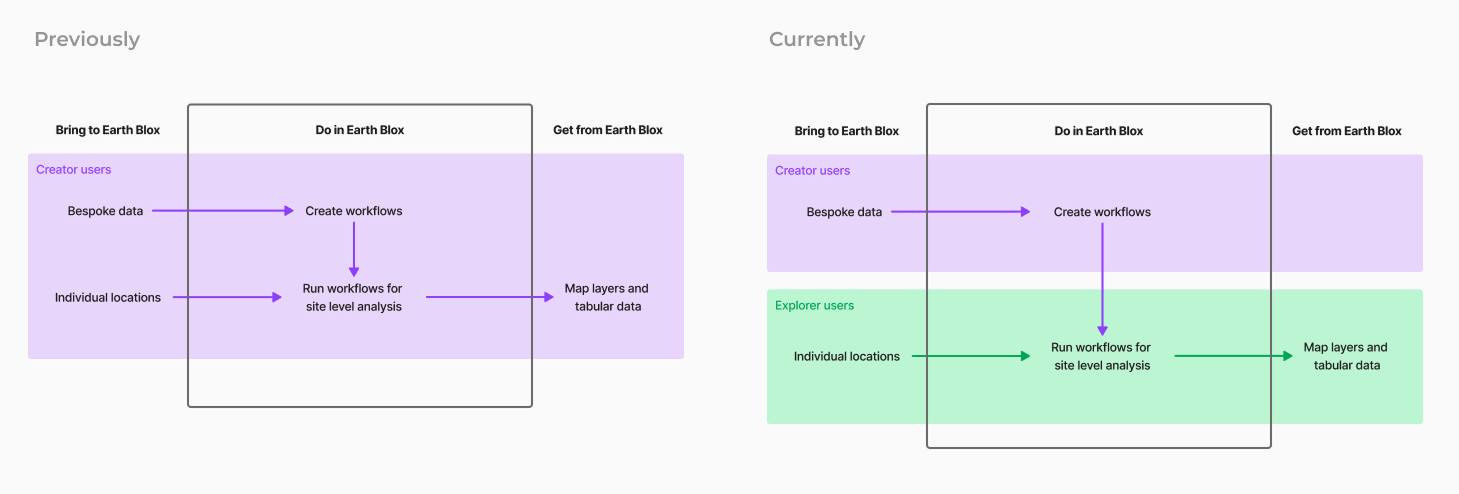
Adding the new Explorer user type
Adding a new user type enabled us to upsell new seats to existing customers and as well as target customers without internal geospatial experts, who benefit from templates and bespoke workflows built by the Earth Blox Customer Success team.
Key UX decisions
Enabling the ‘Creator’ user with template building and workflow variables
We gave Creator users the ability to publish template workflows for their teams that could be bundled together in Packages of related tasks.
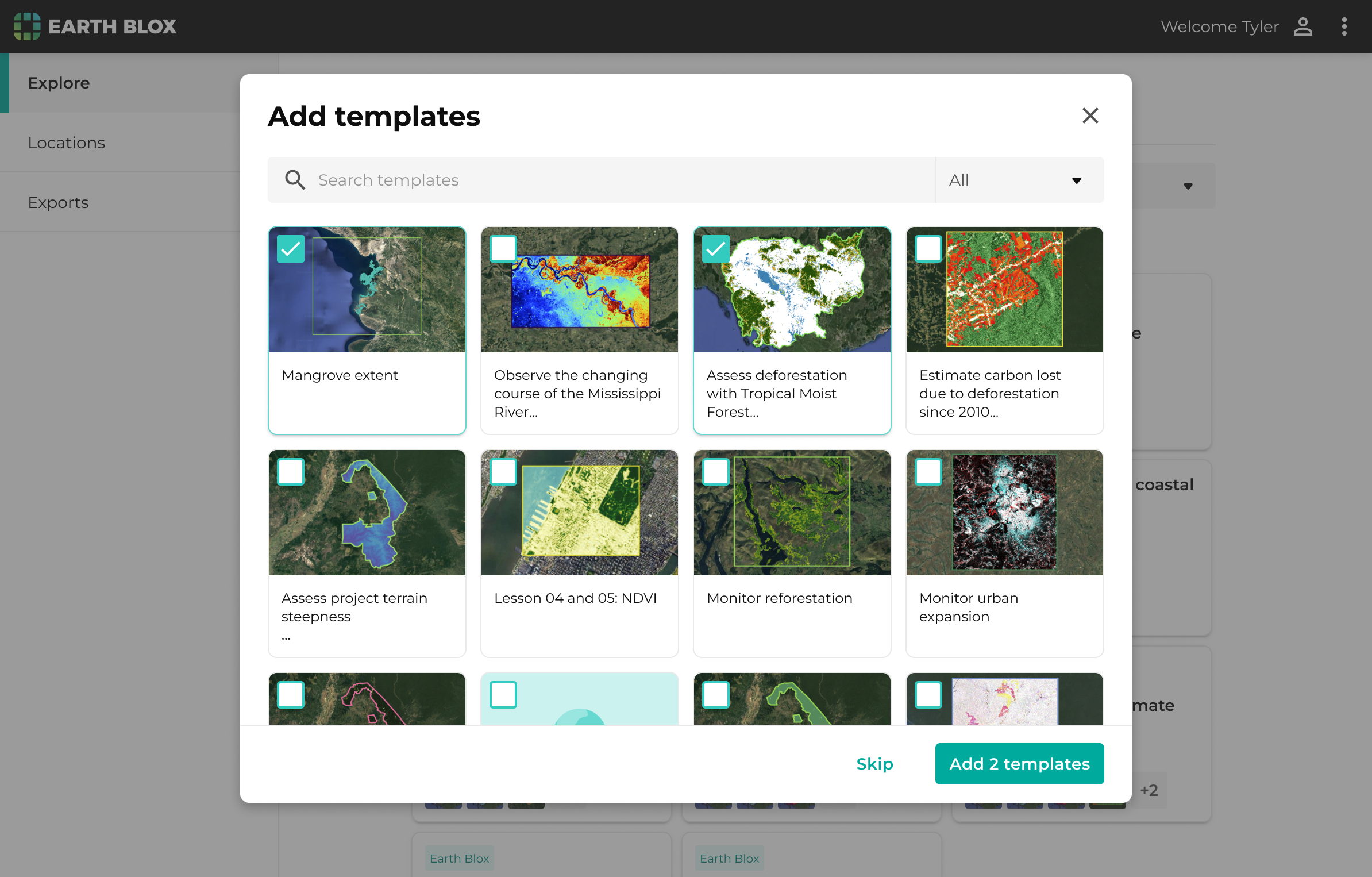
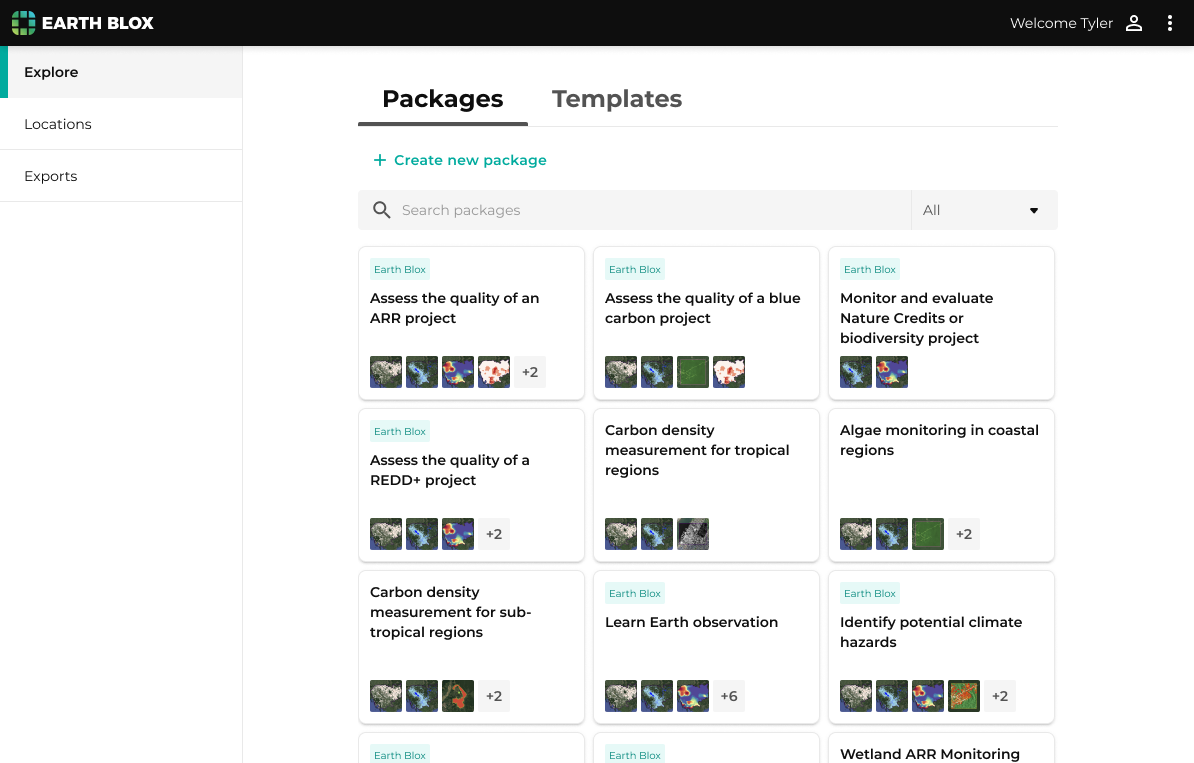
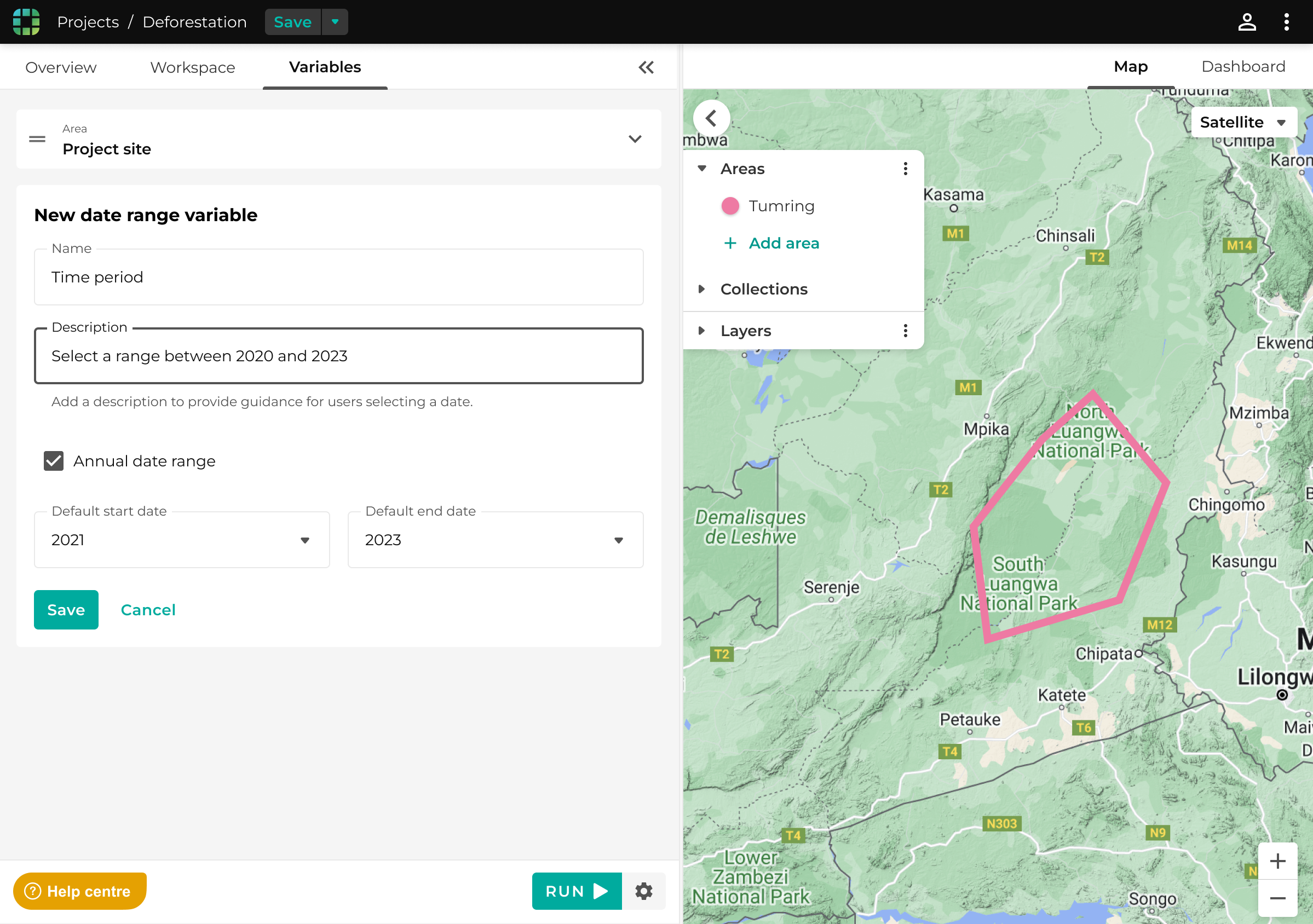
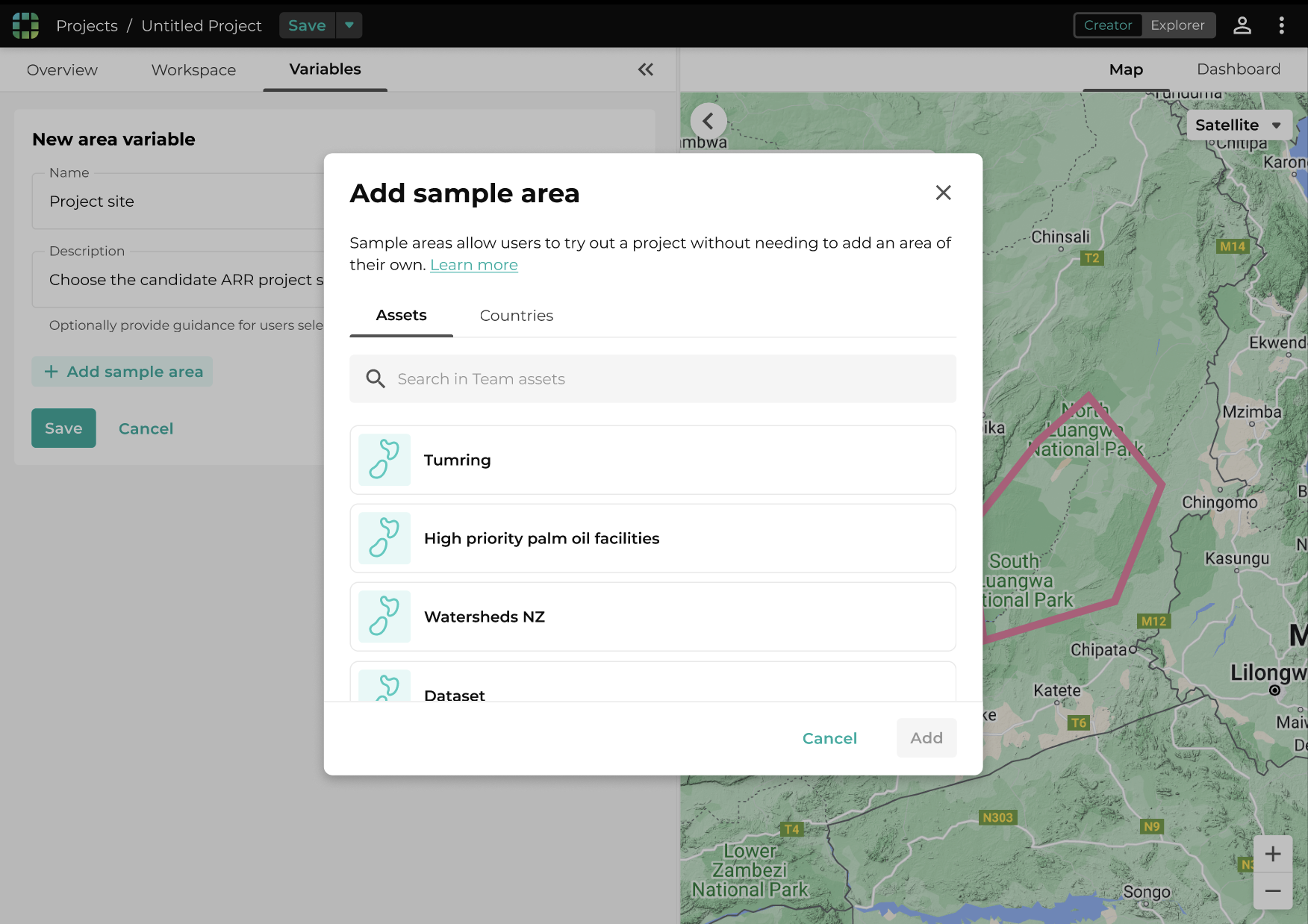
To allow specific inputs (areas, dates, and numeric values) to be set by users of a template, Creator users can add ‘variables’. These variables are plugged into the existing workflow, and allow Explorer users to set parameters and select locations through a separate interface, preventing accidental changes to workflow logic.
Creator users can communicate key information about the suitability of different workflows to Explorer users through optional descriptions, and guidance for each input.
Defining the ‘Explorer’ experience of getting workflow results
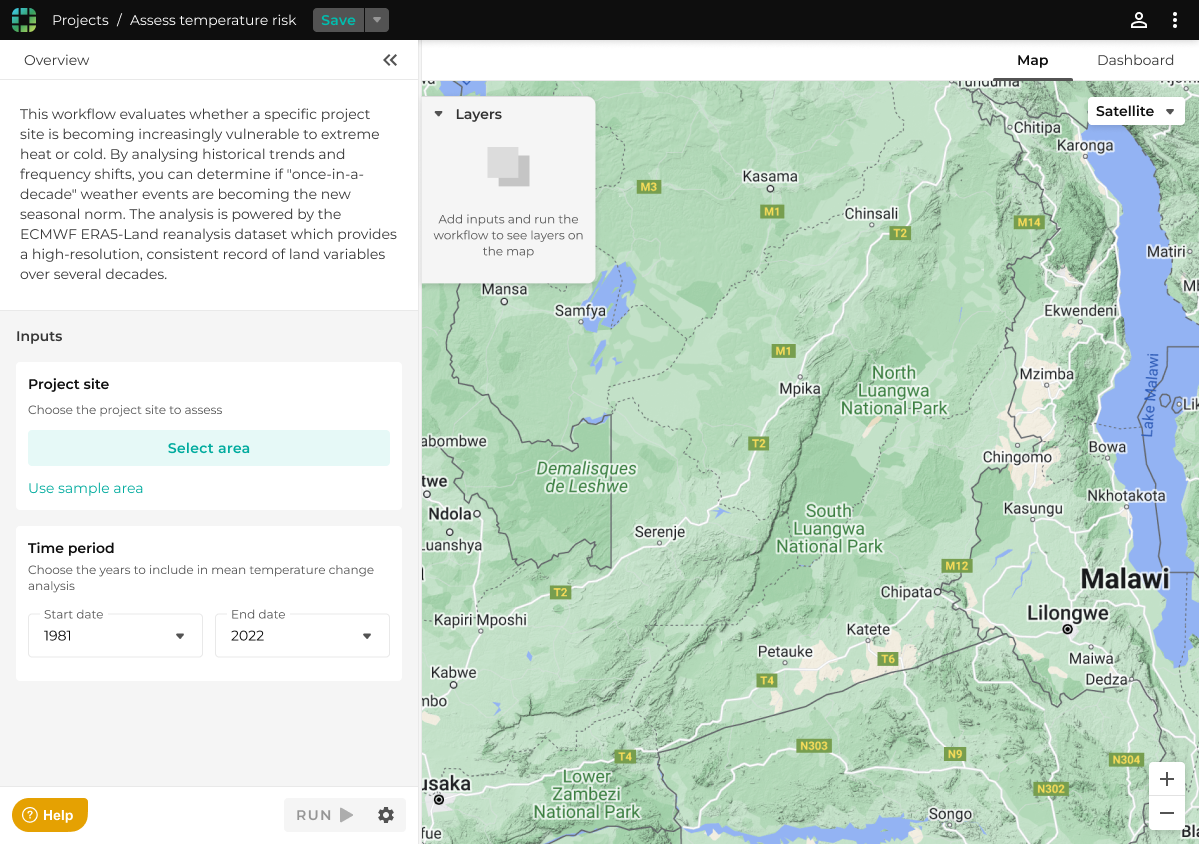
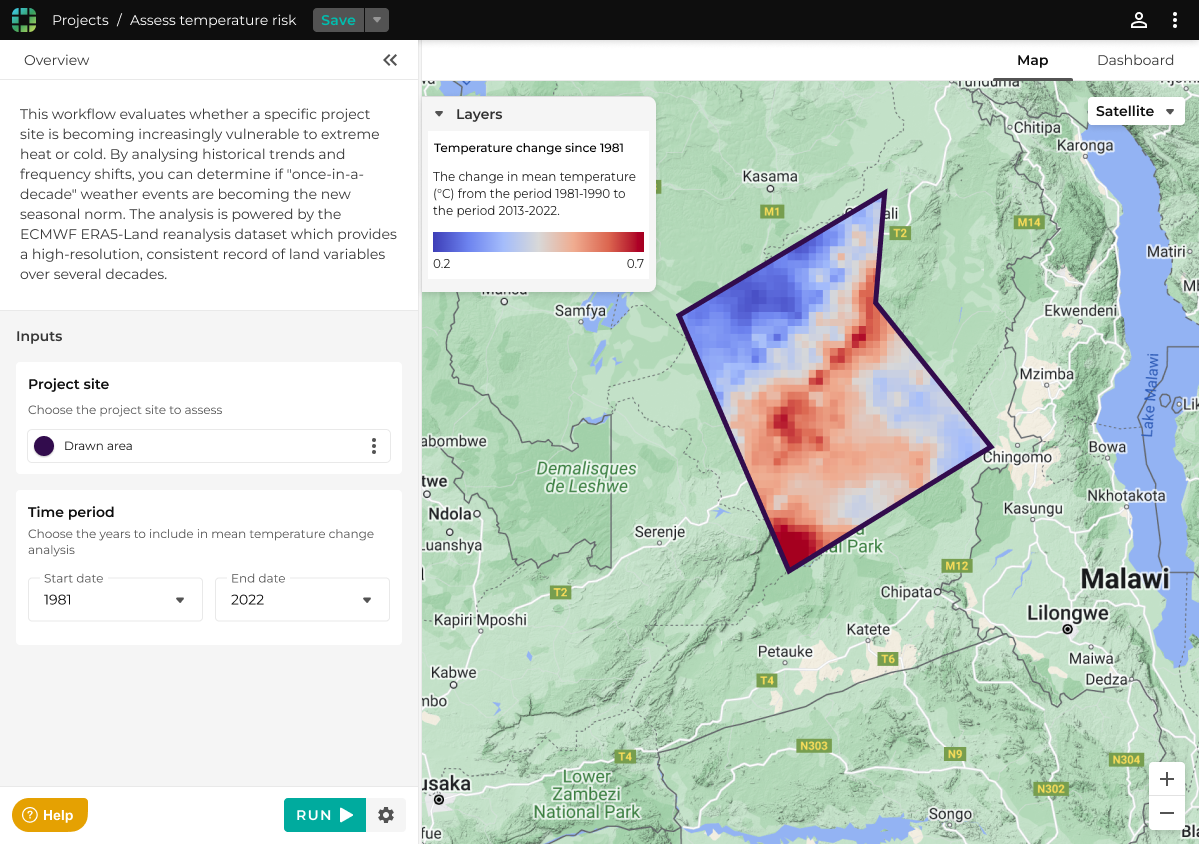
The new Explorer experience is a simplified interface specifically for non-experts to run pre-built template workflows and get repeatable, consistent results.
Removed the workflow builder interface, and instead showed a stripped back interface for Explorer users to select a location to analyse, as well as a date range for the analysis
Focused on the map interface that non-experts expected and felt familiar with
Streamlined app navigation to focus on template workflows and the user's uploaded locations
Reduced barrier to adoption by allowing users to select a sample location to understand the expected results even without having a suitable area defined
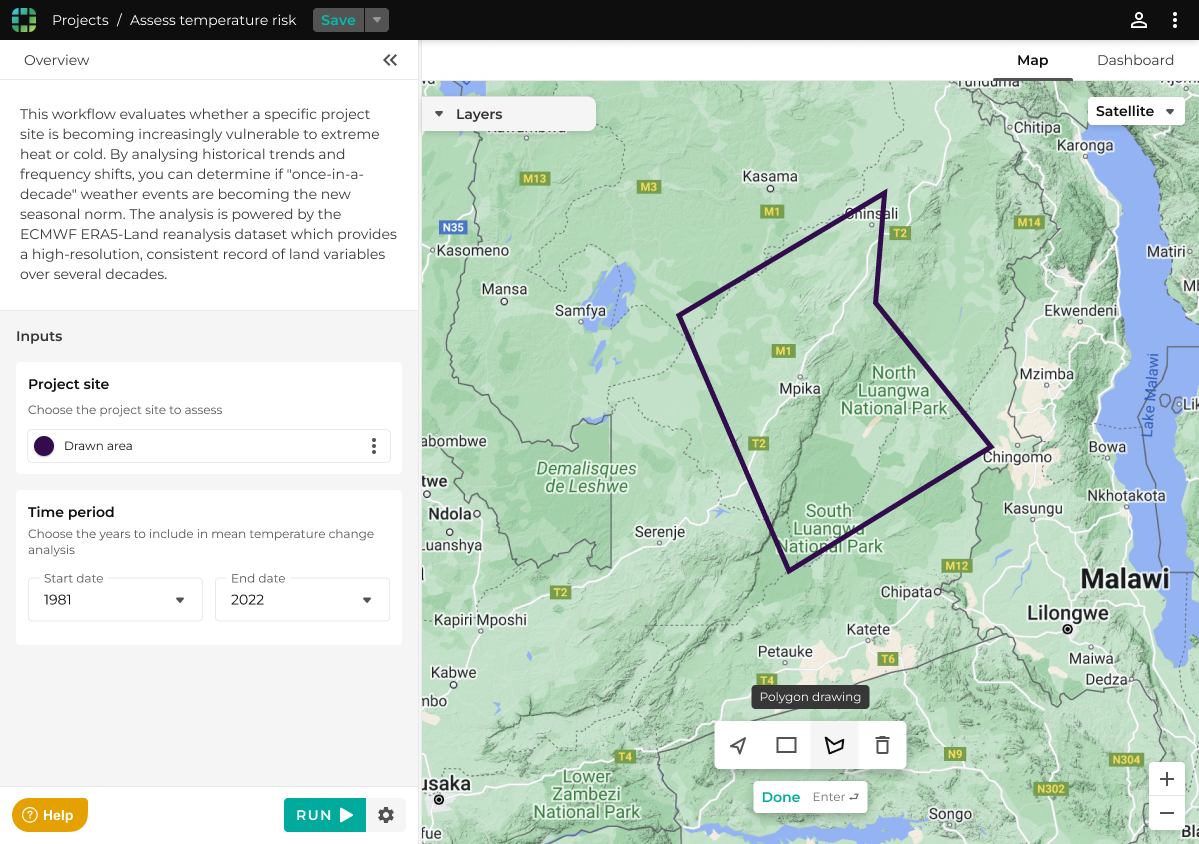
Allow Creator users to switch between Creator and Explorer ‘modes’
So that Creator users could see what their Explorer colleagues would see when using a template, Creator users have the ability to switch between Creator and Explorer mode.
Feedback after launch showed that Creator users also valued the simplified Explorer experience of running workflows. To take full advantage of this, we made saved inputs persistent when switching between modes.
Creator users can switch between modes